
Check Any Vehicle VIN in Seconds
Free VIN Decoder
Enter a VIN to identify the make, model, year, trim, engine, transmission, drivetrain, country of origin, and other vehicle details.
How to Use VIN Decoder
Want to decode a VIN online? Enter a 17-character VIN to identify the vehicle and view available details from trusted automotive databases. No sign-up required.
-
Step 1
Enter VIN
Enter a VIN into the input box.
-
Step 2
Decode VIN
Click the button to decode the VIN.
-
Step 3
View Details
View available vehicle details.
VIN Decoders by Make
Choose a vehicle make to access a dedicated VIN decoder with manufacturer-specific identification and vehicle details. We cover all major vehicle makes.
- A
- B
- C
- D
- F
- G
- H
- I
- J
- K
- L
- M
- N
- O
- P
- R
- S
- T
- V
- Y
- Z
Vehicle Identification Number
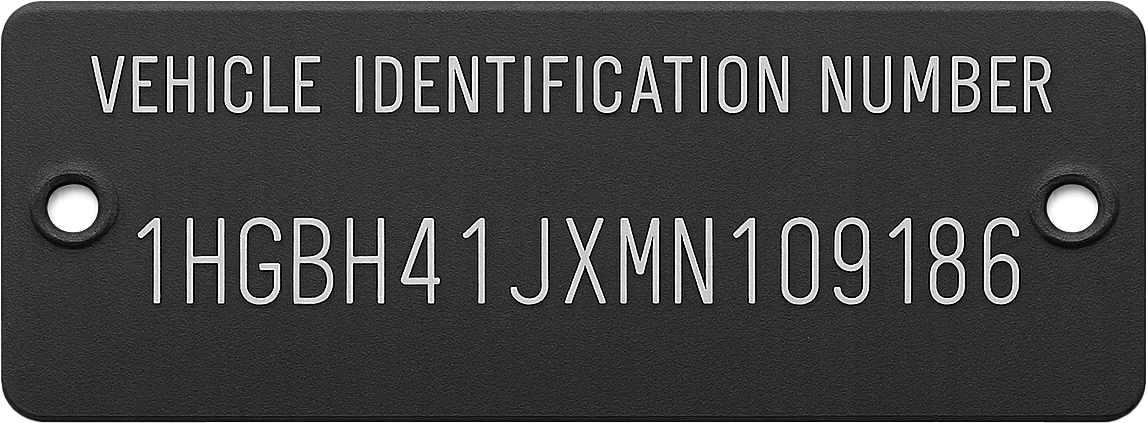
A Vehicle Identification Number, or VIN, is a unique 17-character code used to identify a specific vehicle. Standardized globally since 1981.
What Is a VIN?
A VIN is a unique vehicle identifier assigned by the manufacturer. Most modern vehicles use a 17-character VIN made of letters and numbers.
A VIN is used to identify the exact vehicle, not just the make or model. It can help confirm basic vehicle information before buying, selling, registering, or checking specifications.
How Is a VIN Structured?
A modern VIN is usually divided into three main parts:
- WMI — identifies the manufacturer and region.
- VDS — describes the vehicle type, model, body, engine, and restraint system.
- VIS — identifies the model year, assembly plant, and production sequence.
Together, these characters help decode the vehicle’s identity and available specifications.
Where Can I Find My VIN?
You can usually find the VIN in several places:
- At the base of the windshield on the driver’s side.
- On the driver-side door jamb or certification label.
- On the vehicle title, registration, or insurance documents.
- In service records or inspection reports.
- On motorcycles, often near the steering neck or frame.
The VIN should match across the vehicle and documents.
Decode a VIN for Vehicle Specs
Fast, free, and no registration required. Useful for buyers, sellers, and automotive enthusiasts looking for vehicle information.
Frequently Asked Questions
Find answers to common questions about our VIN Decoder.
-
Our tool helps identify a vehicle from its 17-character VIN. It can show available details such as make, model, year, trim, engine, transmission, drivetrain, country of origin, and other vehicle information. It works with VINs for cars, trucks, motorcycles, ATVs, mopeds, trailers, RVs, and other vehicles.
-
Yes. You can enter a VIN and view available vehicle details for free. No registration is required.
-
Depending on the vehicle and available data, a VIN may identify the make, model, year, trim, engine, transmission, drivetrain, country of origin, and other technical details.
-
A VIN may not return results if it contains a typo, is not 17 characters long, includes the letters I, O, or Q, belongs to an older vehicle built before 1981, or is not available in the data sources used by the tool.
-
No. The tool is designed for VIN decoding and vehicle identification. It does not provide accident history, theft records, ownership records, finance information, or registration history. These records may be available through a dedicated vehicle history report provider.
-
VINFound uses public VIN data sources, including NHTSA datasets, along with reputable commercial automotive data providers. Available results may vary by vehicle.
-
Not always. VIN data can vary by manufacturer, market, model year, and data source. Some VINs may return full specifications, while others may show only basic identification details.
-
Yes. VINFound is built for global VIN decoding and can identify many vehicles from different markets, including North America, Europe, Asia, and others. Available details may vary by country and vehicle.